UMOCloudUMOCloud
Why UMOCloudUse CasesCloud Phone FarmResourcesHow It Works
Start Free
UMOCloudUMOCloud
Why UMOCloudUse CasesCloud Phone FarmResourcesHow It Works
Start Free

Cloud Android environments with a device experience at signup

Cloud Android Phone for 24/7 Gaming and Multi-Device Management

Your cloud phone keeps running after you close your local device. Access from PC, Android, or iOS for overseas gaming, social media workflows, and cloud phone farms.

Try for FreeSee How It Works
Close your local device — the cloud phone keeps running
Scale from one device to centralized multi-device management
Choose from available global region IP environments
UMOCloud Device Center
Get UMOCloud

Choose How You Want to Connect

Download the client for your device or open UMOCloud directly in your browser.

Windows clientWindows 10 or later
Android clientAndroid 8.0 or later
iOS clientiOS 12.0 or later · Coming soon
Web versionNo installation required
Supported platforms

Build trusted accounts on cloud Android devices

Run the apps your workflows depend on in independent cloud Android environments.

TikTok
Facebook
Instagram
WhatsApp
YouTube
X
Telegram
Discord
Tinder
Shopee
Pinterest
SHEINSHEIN
Why UMOCloud

Stop Making Your Local Phone Work Around the Clock

Move long-running games and overseas mobile workflows to the cloud, reduce local device burden, and simplify multi-device operations

Your phone should not work all night

Close your PC or phone while games continue in the cloud, reducing local storage, battery, and heat burden

Stop maintaining rows of physical phones

Build a cloud phone farm without buying charging and maintaining racks of hardware

Switching region environments is complicated

Choose from available global region and IP environments for different projects without repeatedly reconfiguring your local network

Accounts and apps become mixed together

Give each account, project, or market its own independent cloud Android workspace

More devices create more repetitive work

Use centralized management, one-to-many control, and synchronized operations instead of repeating every step device by device

Switch devices without losing momentum

Access your cloud phones from PC, Android, or iOS without being tied to one local device or location

24/7
Continuous cloud operation
PC · Android · iOS
Access whenever you need
Independent
Each cloud phone runs separately
Global regions
Choose your IP environment
Product Experience

From One Cloud Phone to a Complete Cloud Phone Farm

Keep games running, separate social media workflows, and manage multiple cloud phones from one place

Cloud gaming session — games run in the cloud while your local device stays free

24/7 Cloud Gaming

Keep your games running in the cloud even after you close your local device. No more overheating, battery drain, or storage worries — just pure gaming from any screen.

  • Games continue running after closing your local device
  • Reduce local storage, battery, and heat burden
  • Access via PC, Android, and iOS
Social media workspace — independent Android environments for each account or project

Social Media Workspaces

Give every social media account, project, or market its own independent Android environment. Switch between workspaces while keeping devices and apps clearly organized.

  • Independent Android environment for each account, project, or market
  • TikTok and Instagram supported
  • Global multi-region IP options
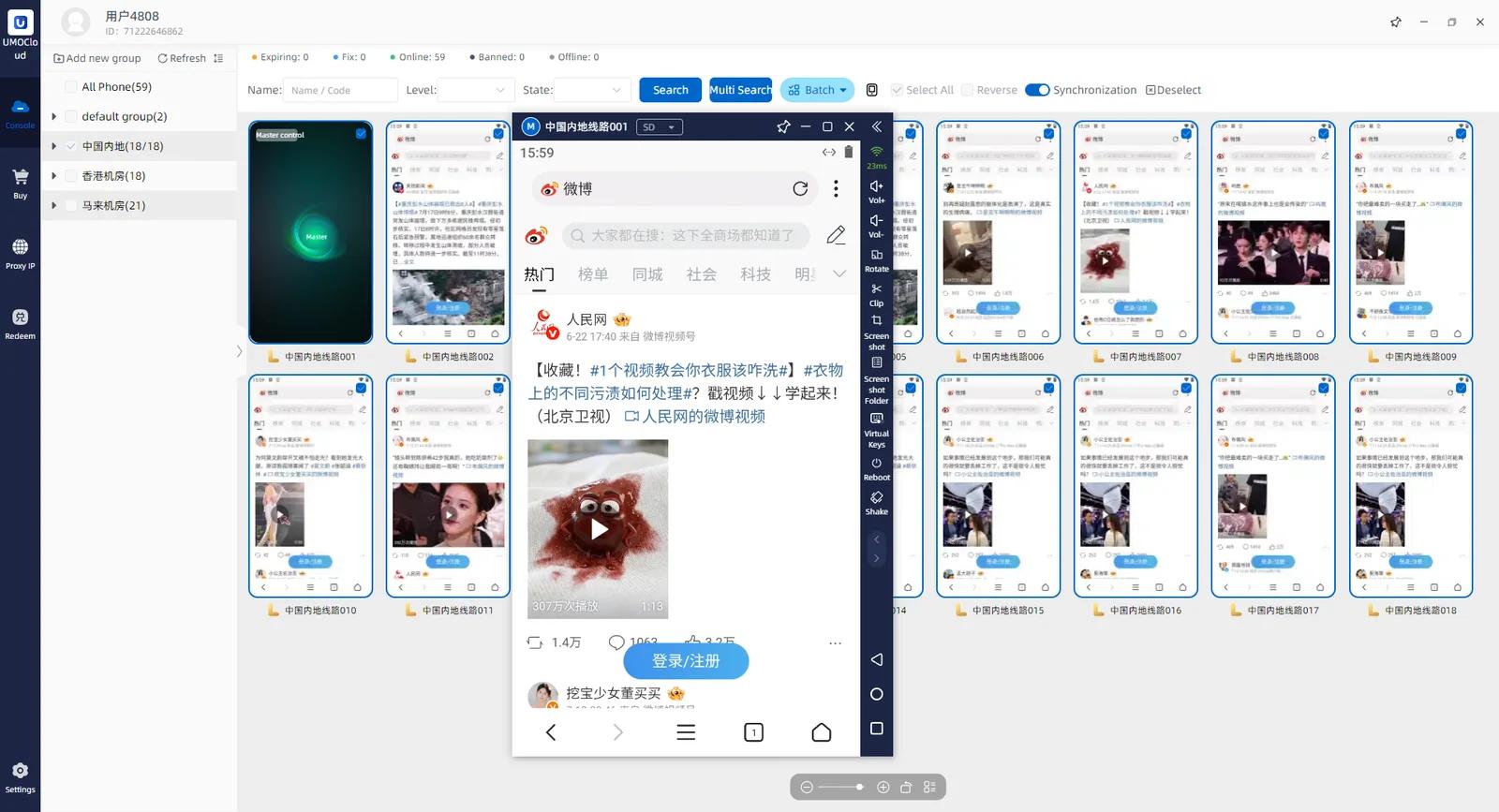
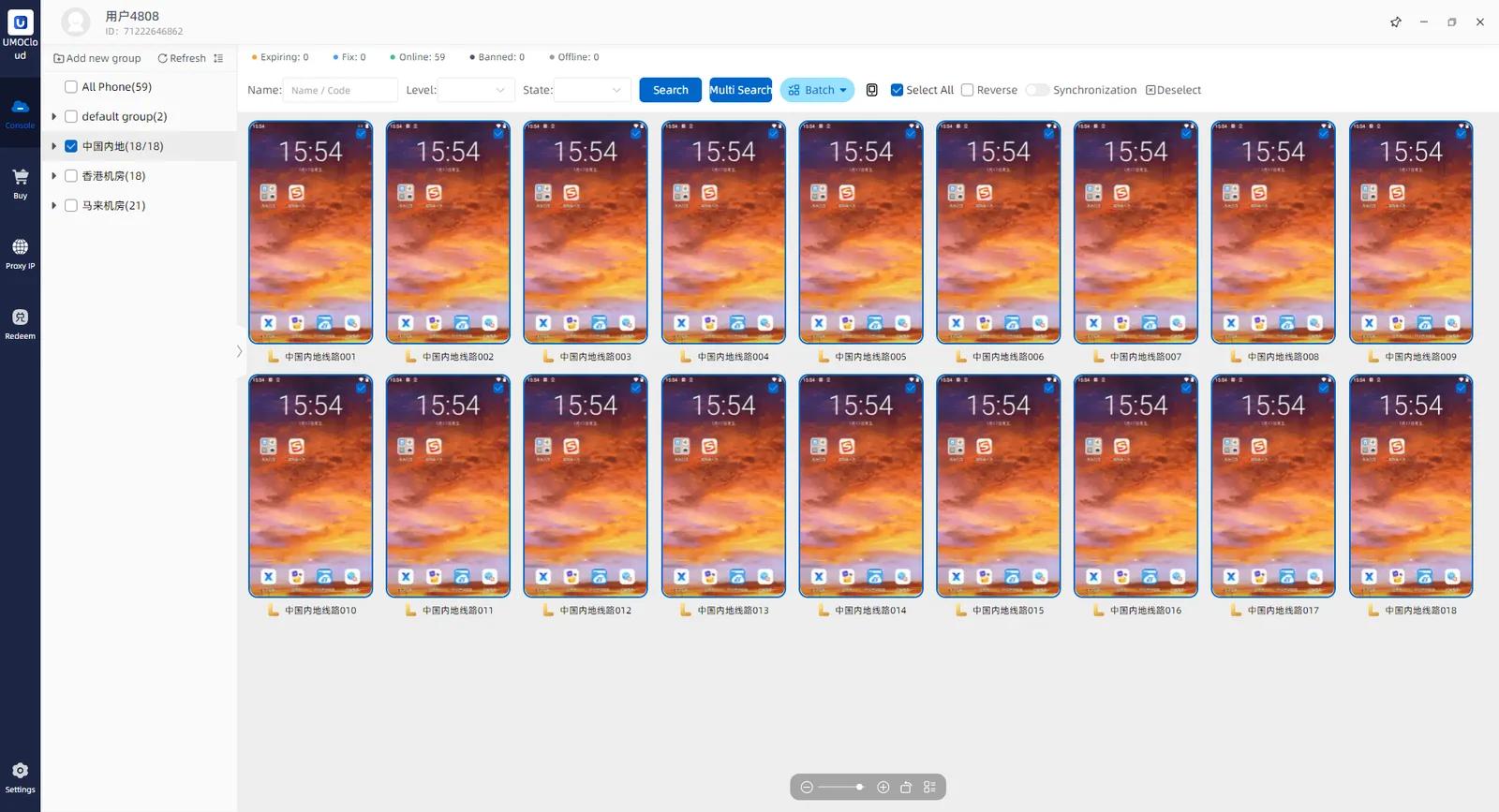
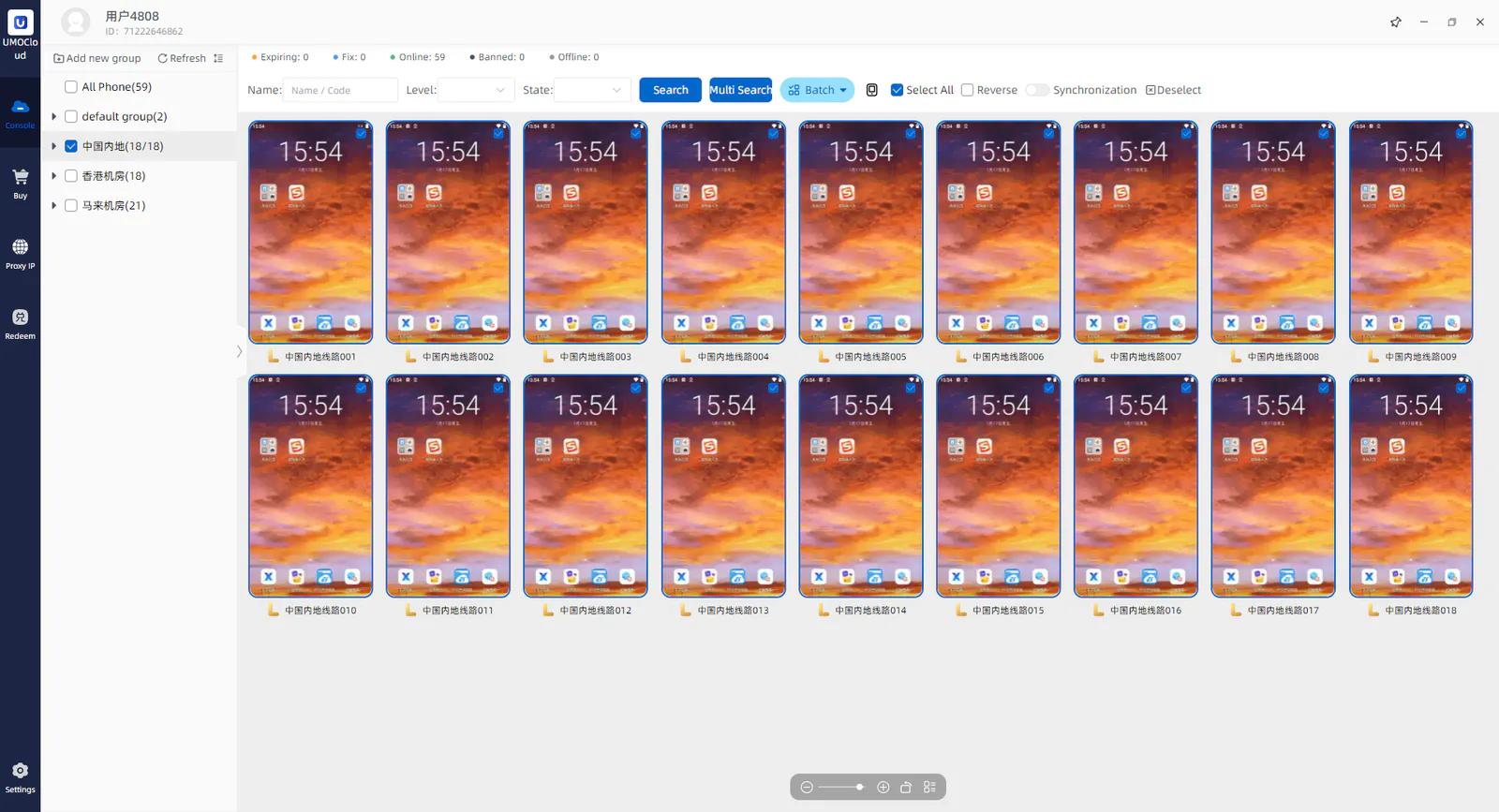
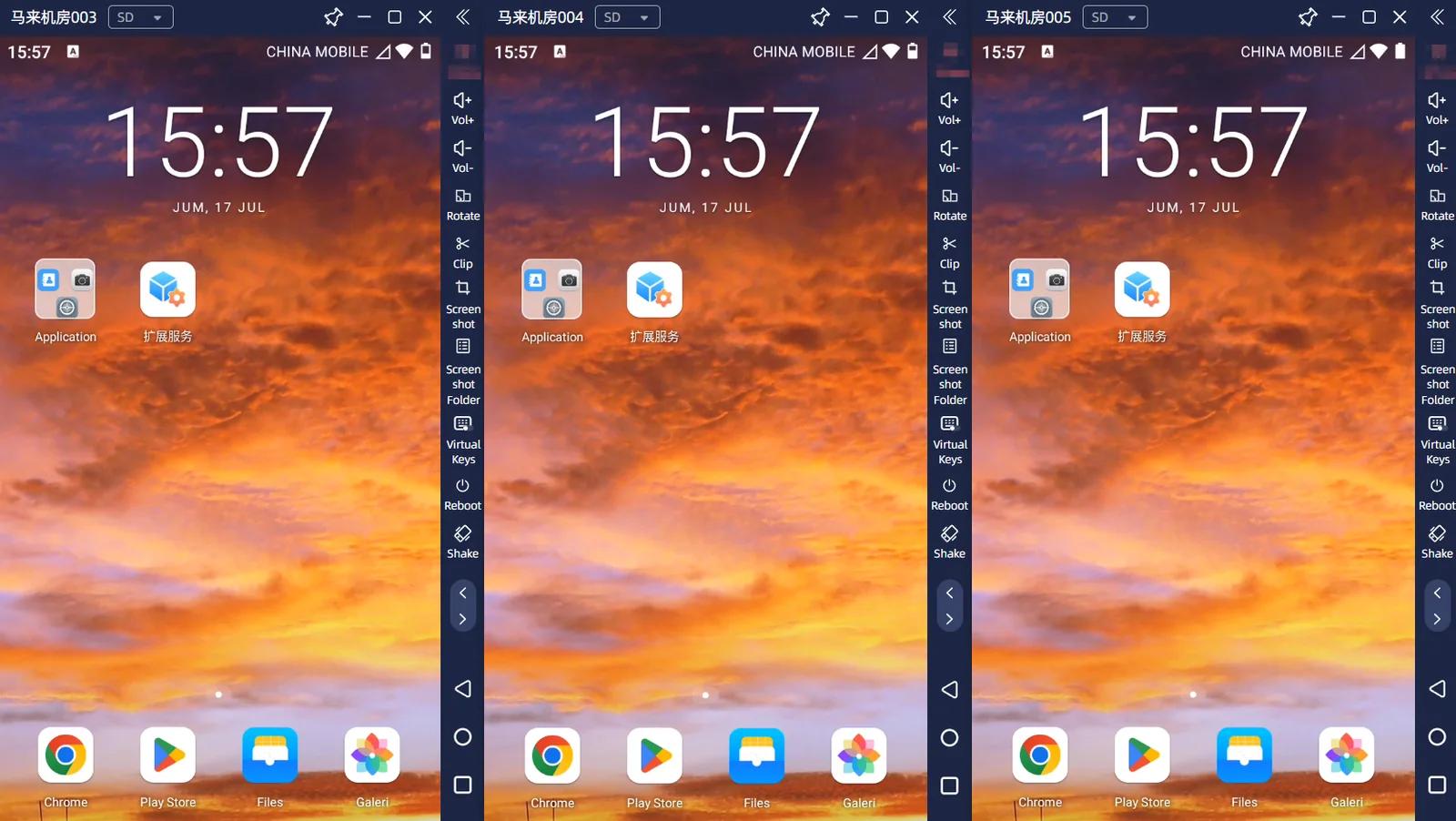
Cloud phone farm — manage multiple cloud devices from a single dashboard

Cloud Phone Farm

Manage multiple cloud phones from one place and synchronize operations. Use the built-in app marketplace or upload local apps without maintaining rows of physical devices.

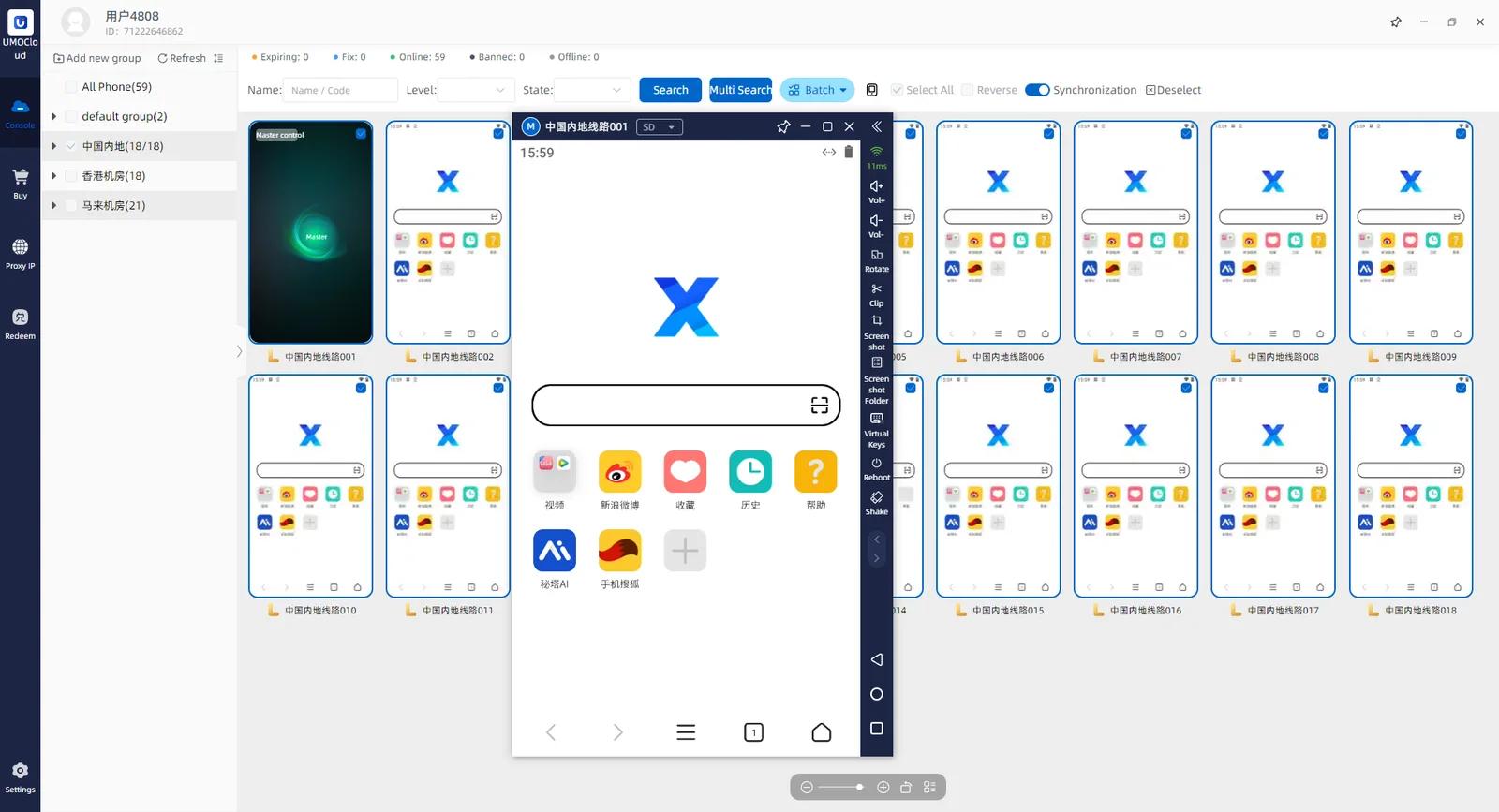
  • One-control-many — manage multiple devices from a single screen
  • Multi-device synchronization for coordinated actions
  • Built-in app marketplace and local app upload
Use Cases

Keep Games in the Cloud. Bring Every Device Under Control.

Gaming-first cloud Android infrastructure with organized social media workspaces alongside

Cloud Gaming

Close Your Device. Keep the Game Running.

Move long-running game tasks to a cloud Android environment, reduce local storage, battery, and heat burden, and return from any supported device when needed.

  • Continuous cloud operation for grinding, farming, and routine tasks
  • Run different game characters or tasks in separate environments
  • Return from PC, Android, or iOS whenever you need
Social Media

A Clear Workspace for Every Account.

Run TikTok, Instagram, and other overseas apps in independent cloud Android environments. Organize devices by account, project, or market and view them from one place.

  • Run TikTok, Instagram, and other overseas apps
  • Organize accounts, projects, and markets by device
  • Choose from available global region IP environments
Cloud Phone Farm

One Controller. Multiple Cloud Phones in Sync.

Scale from one cloud phone to a complete cloud phone farm. View and control independent cloud Android environments from one place without maintaining rows of physical phones.

  • Independent Android environment per device
  • One controller for multiple devices
  • Synchronized multi-device operations
  • Global region IP options
  • Built-in app marketplace and local app upload
  • Daily weekly monthly and yearly rental
Explore How It Works
Controller
Built Around Your Workflow

More App Freedom. More Region Choice. More Flexible Rental.

Set up cloud Android environments around the way you actually use them

Install What You Need

  • Built-in app marketplace
  • Upload local apps
  • Keep different app sets on different cloud phones

Choose Your Environment

  • Independent Android environment per cloud phone
  • High-quality IP options across global regions
  • Organize devices by account, project, or market

Rent Around the Job

  • Daily rental
  • Weekly or monthly rental
  • Yearly rental for long-term use

Registration includes a device experience

Built-in global IP

One cloud device, one independent global network

Choose a regional IP directly inside your cloud phone—no separate proxy setup required.

Match each device to the network environment its account and workflow need, then manage devices and regions from one place.

200+Countries and regions
70M+Global IP pool
HTTP / SOCKS5Dual protocol support

UMOCloud Global Network

200+ regions connected

Online
USBRDESGJP
A dedicated network environment for every cloud device
Dynamic residential
Dynamic mobile
Static residential
Datacenter IPv4
How It Works

Start Using UMOCloud in Three Steps

Claim a device experience, choose your device and region, then connect from your preferred supported client

Register and claim a device experience

Create your UMOCloud account and receive the device experience available to registered users

Choose a device and region

Select a device for your task and choose from the global regions currently available

Connect and start

Access from PC, Android, or iOS and begin your gaming or social media workflow

Products & pricing

Four cloud phone tiers for every workload

Compare 30-day pricing and choose the performance your workflow needs.

U-Lite

Lightweight tasks and basic apps

US$4.90/30 days

  • 8-core CPU / 2.6G RAM / 30G Storage
  • Google services & one-click new device
  • Global regional IP options
Start free trial
Recommended

U-Neo

Everyday social media operations

US$6.90/30 days

  • 8-core CPU / 4G RAM / 45G Storage
  • Google services & one-click new device
  • Global regional IP options
Start free trial

U-Pro

Multitasking and demanding apps

US$8.90/30 days

  • 8-core CPU / 5.3G RAM / 60G Storage
  • Google services & one-click new device
  • Global regional IP options
Start free trial

U-Ultra

Gaming and intensive workflows

US$12.90/30 days

  • 8-core CPU / 8G RAM / 90G Storage
  • Google services & one-click new device
  • Global regional IP options
Start free trial

Android 10 and 12 are available. Flexible 1, 7, 30, 90, and 365-day rentals; final prices are shown on the purchase page.

User Perspectives

Different Workflows. One Easier Way to Run Android in the Cloud.

See what matters most across game automation, multi-device operations, and organized social media workspaces

My local phone no longer has to run all night

I mainly use a cloud phone for long-running game tasks. After I close my local phone, the task stays in the cloud, so I no longer need to keep charging it and I put less heat and storage pressure on the device.

Overseas mobile gamer

24/7 game operation

Managing multiple devices is much easier

I used to check and operate devices one by one. Now I can manage multiple cloud phones from one place. Synchronized operations reduce repetitive steps and make device status easier to review.

Multi-device operator

Cloud phone farm

Accounts and projects are easier to organize

I assign separate cloud phones to different accounts and projects, then choose a region environment for the work. Devices, apps, and workflows stay clearer, and switching between projects is more convenient.

Overseas social media operator

Independent social media workspaces

Frequently Asked Questions

Does the cloud phone keep running after I close my local phone or PC?
Yes. Your tasks run in a cloud Android environment, so the cloud phone can continue operating after you close your local device or client.
Is UMOCloud a physical Android phone or a simulator?
UMOCloud provides Android environments running in the cloud. It should not be described as a physical phone in your hand. Each cloud phone has its own independent cloud Android workspace.
Which devices can I use to access UMOCloud?
UMOCloud supports access from PC, Android, and iOS through the corresponding clients currently provided.
Does UMOCloud support multi-instance and multi-device management?
Yes. You can run multiple cloud phones, view and manage them from one place, and use one-to-many control and synchronized multi-device operations.
Does UMOCloud support overseas games, TikTok, and Instagram?
UMOCloud is built for overseas gaming and social media workflows and supports apps including TikTok and Instagram. Availability for a specific game or app depends on its requirements and the actual device environment.
Can I choose the region and IP environment for my cloud phone?
Yes. UMOCloud offers quality IP environments across multiple available global regions. Choose a suitable location from the regions currently listed in the product.
Is there a device experience, and which rental periods are available?
Registered users can receive a device experience. Paid use supports daily, weekly, monthly, and yearly rental, subject to the options currently shown in the product.
Does an independent cloud phone mean my account cannot be banned?
No. An independent cloud Android workspace helps separate accounts, projects, and app environments, but account outcomes still depend on platform rules, content quality, and how the account is used. Always follow each platform's terms of service.

Start with UMOCloud

Keep Games and Overseas Apps Running in the Cloud

Register for a device experience, start with one cloud phone, and scale to centralized multi-device management when needed

  • Close your local device while the cloud phone keeps running
  • Access from PC, Android, or iOS
  • Independent environments with multi-device sync and control
Register for a Device Experience

Device experience availability is subject to the current product offer

Get Support Quickly

Coming soon

Online Support
Follow Us
UMOCloudUMOCloud

Cloud Android phones for gaming and social media

Product

  • Product Experience
  • Cloud Phone Farm
  • Apps, Regions & Rental

Solutions

  • Cloud Gaming
  • Social Media
  • Why UMOCloud

Resources

  • Blog & Guides
  • How It Works
  • FAQ
  • Online Support · Coming soon

© 2026 UmoCloud Technology Co., Limited. All rights reserved.

粤ICP备2026070974号